Is Claude AI Safe? An Honest Security Analysis for 2026
I get this question more than almost any other: “Is Claude actually safe to use?”
It’s a fair question. You’re handing your words, your ideas, and sometimes your clients’ sensitive information, to a system you don’t fully control. You deserve a real answer, not a PR summary.
I’ve been using Claude as my primary AI tool since early 2024. I use it daily for client content, research, code review, and complex writing projects. I’ve also spent time deliberately probing its limits, trying to break it, testing its consistency, and comparing it against other tools on real work tasks. What follows is what I actually found.
The short answer: yes, Claude is one of the safer AI assistants available right now. But “safe” is a word with layers, and those layers matter depending on whether you’re an individual user, a developer, or a business with compliance requirements. Let’s go through each of them.
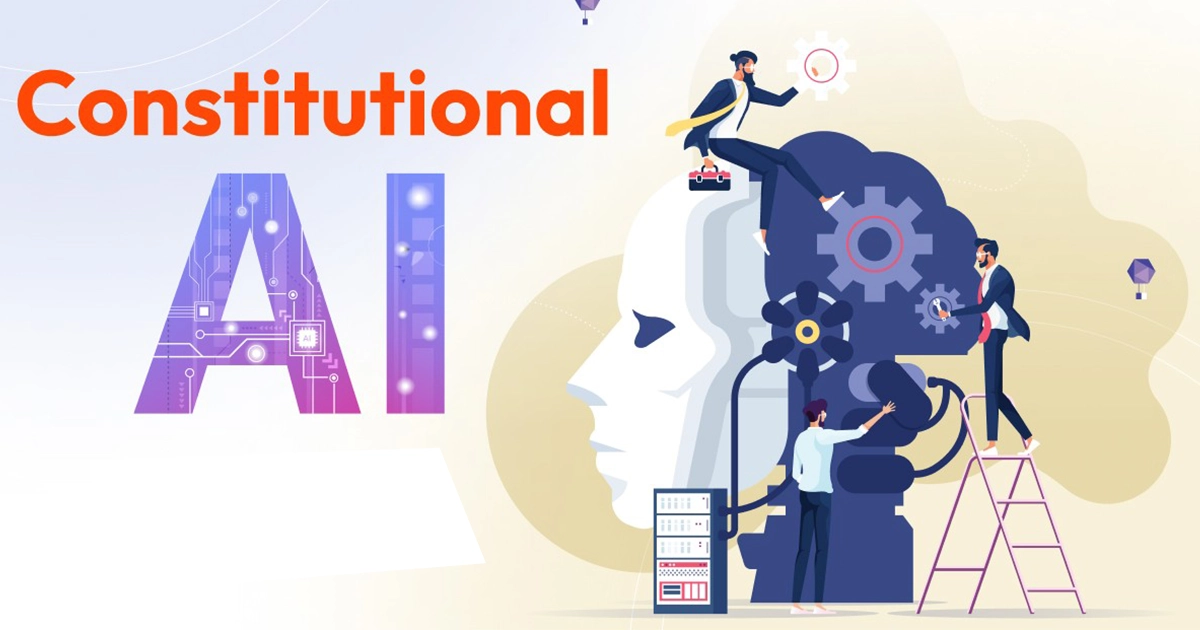
How Constitutional AI Changes the Safety Picture
Most AI models are trained to behave safely through filters applied after the fact. Think of it like hiring someone and then giving them a rulebook on their first day. Claude’s approach is different.
Anthropic built what they call Constitutional AI (CAI), which attempts to bake principles into the model during training itself, not bolt them on afterward. The model learns to evaluate its own responses against a set of guiding principles and gradually learns to prefer outputs that score well on both helpfulness and safety.
What this means practically: when you try to manipulate Claude into doing something harmful, the resistance doesn’t feel like hitting a keyword filter. It feels like talking to someone who understood what you were actually asking and said no for a reason.
I tested this. I tried a range of jailbreak approaches, requests for harmful content buried inside creative framing, multi-step prompts designed to lead Claude gradually toward a problematic output, emotional manipulation, and role-play scenarios. The vast majority failed, not because Claude hit a stop word, but because it identified the intent behind the structure.
That said, no system is perfect. I did find edge cases where indirect, multi-step prompts got further than they should. Anthropic publishes ongoing red-teaming updates, and each model release addresses discovered weaknesses. The trajectory is clearly improving, but anyone who tells you any AI is fully jailbreak-proof is not being honest with you.
Privacy
This is where I see the most confusion, so let me be direct about what Anthropic’s current policies say and what they mean in practice.
Free Tier
Conversations can be used to improve the model. You can delete individual conversations or your entire history. Anthropic states that deleted conversations are removed from active systems within 30 days. Your data is not sold or used for advertising.
Claude Pro
You get the option to opt out of having your conversations used as training data. This gives you meaningfully more control if you’re regularly working with anything sensitive. The same deletion policies apply.
API / Enterprise
This is where the controls get serious. Zero Data Retention (ZDR) is available, meaning API requests are processed in memory and not stored. Anthropic claims compliance with GDPR, CCPA, and HIPAA under this configuration, which matters a great deal for businesses in regulated industries.
One thing I want to be clear about, because I see this misunderstood often: deleting a conversation prevents it from being used in future training, but it does not retroactively change anything already baked into the current model. If you shared something sensitive before you understood this, that concern applies to the past, not future conversations after deletion. This is worth knowing upfront, not after the fact.
My personal practice: I treat Claude like I treat any cloud tool. I don’t paste in passwords, account credentials, client PII, or anything I wouldn’t want to exist on a third-party server. With that basic discipline in place, I’ve found Claude’s privacy setup to be reasonable for the kind of work I do.
How Consistent Is Claude Across Different Groups and Topics?
I’ve been paying attention to this since I started using Claude professionally, because bias in AI output creates real problems in real work. Here’s what I’ve actually observed.
Gender and Professional Language
Claude defaults to gender-neutral language in professional contexts without needing to be told to. When I write briefs that don’t specify someone’s gender, the output doesn’t assume. This sounds small until you’ve spent time correcting AI output that defaults every engineer to “he” and every nurse to “she.” It adds up.
Cultural and Ethnic Names
I’ve run scenarios where names clearly signaled cultural or ethnic backgrounds and asked Claude to make evaluations or recommendations. What I consistently found was that Claude asked for more relevant information rather than making assumptions based on names alone. When cultural context was genuinely relevant, it engaged with it respectfully rather than either ignoring it or stereotyping.
Political Topics
This one is worth examining carefully because it matters for content work. Claude maintains consistent factual positions regardless of how a question is framed. If you ask the same policy question from a left-leaning angle and then a right-leaning angle, you get the same core information. It declines to take partisan positions on contested issues, which is either a feature or a limitation depending on what you need it for.
I’ll be direct: Claude is not perfectly unbiased. No AI trained on real-world text can be. What I’ve found is that it’s meaningfully better than several alternatives I’ve tested at avoiding harmful stereotypes and maintaining consistency across groups. But you should still review outputs critically, particularly for anything touching sensitive topics.
Accuracy and Hallucination
Hallucination, confidently stating something false, is the safety problem that trips up most everyday users. It’s less dramatic than jailbreaks but far more common and potentially more damaging if you’re not watching for it.
Here’s my honest assessment from extended use:
Where Claude Is Reliable
On well-established factual questions, historical events, scientific concepts, and technical explanations of documented technologies, Claude performs well. It also handles uncertainty honestly. When it doesn’t know something or isn’t confident, it typically says so. I’ve found this calibration to be noticeably better than some competing models, which will give you a confident-sounding wrong answer rather than admitting uncertainty.
Where Claude Struggles
Anything time-sensitive is a known risk. Claude has a knowledge cutoff, and the world doesn’t stop. If you ask about recent regulatory changes, the current version of a software API, or anything that’s evolved in the last year or two, verify it independently. This is not unique to Claude, but it’s real.
Niche technical specifics are another weak point. For widely documented APIs and frameworks, Claude is generally solid. For less common tools or very recent library versions, it sometimes confuses details or describes deprecated behavior as current. I caught a few of these in code review work. They weren’t catastrophic, but they would have caused problems if I’d deployed without reviewing.
My rule: the higher the stakes, the more I verify. For brainstorming and drafting, I use Claude freely. For anything that will be published, acted on, or built into production, I treat Claude’s output as a first draft that requires human review.
Enterprise and Business Security
If you’re evaluating Claude for business use, the security features break down into a few key areas.
Access and Governance (Teams and Enterprise Tiers)
- User permission management with role-based access levels
- Usage monitoring across team members
- Organization-level content policies
- Audit logs for compliance documentation
API Security
- API key authentication with granular permissions
- OAuth 2.0 support
- IP allowlisting
- Rate limiting and anomaly detection
- Pre- and post-processing hooks for custom validation layers
A Real Deployment Pattern
I’ve seen the HIPAA-compliant use case work in practice when structured correctly. The key is treating Claude as a processing tool, not a storage system. Zero Data Retention enabled at the API level, access restricted to authorized personnel only, audit logs maintained separately, and human review built into the workflow for any patient-facing output. Under those conditions, Claude becomes a useful tool for drafting patient education materials and communications without creating compliance exposure.
The principle generalizes: whatever your compliance requirement, the question is whether you’ve configured Claude’s data handling to match it. The controls exist. Whether they’re implemented correctly is a deployment decision, not a product limitation.
Known Limitations
Any safety analysis that doesn’t address real limitations is marketing, not analysis. Here are Claude’s genuine weaknesses as I understand them.
Prompt Injection and Social Engineering
Claude resists direct jailbreak attempts well. Indirect approaches, particularly those that use emotional framing or embed harmful requests inside complex multi-step instructions, have a higher success rate. Anthropic continuously red-teams these vectors and releases updates, but there’s always a gap between when a new technique is discovered and when a model update addresses it. For enterprise deployments, assume sophisticated adversarial users will probe the edges.
Image-Based Safety Gaps
Text in images can sometimes bypass content filters that would catch the same text in a prompt. Visual misinformation is harder to catch than textual claims. If you’re building anything that processes user-submitted images, treat image safety as a separate, harder problem that requires additional layers.
Long Context Degradation
Claude handles long contexts impressively, but very long conversations do show some degradation in how consistently it applies earlier instructions. For most use cases, this won’t matter. For workflows that depend on precise instruction-following across hundreds of thousands of tokens, test your specific scenario rather than assuming consistent performance throughout.
Outdated Information
The knowledge cutoff is a real constraint. Security advice, legal guidance, API documentation, medical information—anything in a fast-moving domain should always be verified against current sources. This is particularly important if you’re using Claude for security-related recommendations, where out-of-date information can create actual risk.
Claude vs. Alternatives
I’ve used ChatGPT, Gemini, and several open-source models alongside Claude for real work over the past year. Here’s my genuine read.
Claude vs. ChatGPT
The safety architectures are different at a foundational level. Claude’s Constitutional AI approach versus OpenAI’s RLHF with moderation layers produces different behavioral patterns. In my testing, Claude was more consistent on sensitive topics and harder to manipulate through indirect framing. ChatGPT has a more mature ecosystem of integrations and tends to be stronger for creative and casual work. On privacy, both offer enterprise-grade options, though Claude’s emphasis on data minimization is more prominent in its default settings.
Claude vs. Gemini
Gemini benefits from Google’s infrastructure and is a stronger choice if you’re deeply embedded in Google Workspace. The data model is different – Gemini integrates with your Google account ecosystem in ways that matter for privacy decisions. In my testing on bias, I found Claude more consistent, particularly on politically sensitive topics where Gemini sometimes overcorrected in awkward ways. For multimodal work, Gemini is more capable, but that additional capability comes with additional complexity in safety.
Claude vs. Open-Source (Llama, Mistral, etc.)
Open-source models offer something Claude cannot: complete data control through self-hosting. If your organization has strict data sovereignty requirements and the technical capability to deploy and maintain a model, that’s a real advantage. What you give up is the managed safety layer. A self-hosted open-source model has whatever safety properties its deployer builds in. That’s a meaningful responsibility. For most businesses, Claude’s managed service with its existing safety framework is the more practical choice.
Practical Safety Guidelines for Users
For Individual Users
Match verification effort to the stakes. For brainstorming, drafting, and research, use Claude freely. For anything you’ll publish, share professionally, or act on, apply human judgment. For medical, legal, or financial decisions, Claude is a research tool, not a replacement for qualified professionals.
Keep sensitive data out. Passwords, account credentials, government ID numbers, financial account details, and client PII should not go into any cloud AI tool, including Claude. This isn’t a Claude-specific rule; it’s basic cloud hygiene.
Delete when done. If you’ve worked through something sensitive, delete the conversation. It takes ten seconds and is good practice.
For Business Users
Classify before you deploy. Decide which data categories are safe for Claude’s interaction and which aren’t before you build workflows that depend on them.
Use the right tier for the sensitivity level. Don’t run HIPAA-relevant workflows on a consumer free tier. The enterprise controls exist for a reason.
Build human review into high-stakes workflows. Claude, as a drafting and processing tool with human sign-off, is a sound model. Claude is not a fully autonomous decision-maker for consequential outputs.
Test adversarially before launch. If you’re building customer-facing applications with Claude, run red-team tests before you ship. Find the edge cases on your own terms.
The Bottom Line
Claude is one of the most responsibly designed AI assistants available in 2026. Its Constitutional AI foundation, honest calibration of uncertainty, strong bias mitigation, and enterprise-grade privacy controls make it a solid choice for a wide range of use cases.
It is not, however, infallible, fully jailbreak-proof, or a substitute for professional expertise in high-stakes domains. No AI is.
The pattern I keep coming back to is this: Claude is a powerful tool that rewards thoughtful use. The more clearly you understand what it can and can’t do, the more effectively and safely you can use it. That understanding is what this site is for.
Risk Levels by Use Case
Lower Risk — generally safe to use with normal diligence: Creative writing and content generation, general research and education, technical explanations, and brainstorming.
Medium Risk — use with verification: Code assistance (review before deploying), business correspondence (fact-check specifics), data interpretation (validate conclusions), customer service drafts (human review recommended).
Higher Risk — requires additional controls and professional oversight: Healthcare applications (HIPAA configuration essential, human review mandatory), financial guidance (regulatory compliance required, not a substitute for licensed advice), legal applications (professional review required), and critical infrastructure (extensive testing, not for production without validation).
The right question isn’t whether Claude is safe in the abstract. It’s whether your specific use case is configured and supervised appropriately. In most cases, with reasonable care, the answer is yes.