Claude for Business: What Your Team Actually Gets in 2026
Claude for Business: What Your Team Actually Gets in 2026
There was only one reason for me to create ClaudeAIWeb. No one spoke truthfully about Claude. Websites were either rehashing the news of Anthropic. Some other websites were written by those who used Claude two times. That irritated me. Thus, I decided to test Claude for myself and write about the experience.
The question that I receive from the readers is the same all the time. “Is Claude good for my business?” The truth depends on your company size, data, and preferences. In this guide, you will find everything related to that. You will have up-to-date prices, pros & cons, and the rollout strategy that I use.
Of course, I will say things that Claude does poorly as well. Every tool has its shortcomings.
Importance of Claude for Business
This term is confusing. Anthropic does not have one product under this term. It rather has two business plans and a separate API. Let’s differentiate these.
- Claude Team plan: a self-serve plan for small and mid-size groups.
- Claude Enterprise plan: a plan for larger companies with security and compliance needs.
- Claude API: a pay-as-you-go route for developers who build Claude into their own products.
Each one is suitable for a unique customer. Take the case of an organization with five employees who need Team. The hospital chain needs Enterprise. The company developing a chatbot needs the API.
Developers should read our guide on how to get a Claude API key. It walks through setup step by step.
Claude Team Plan: The Practical Starting Point
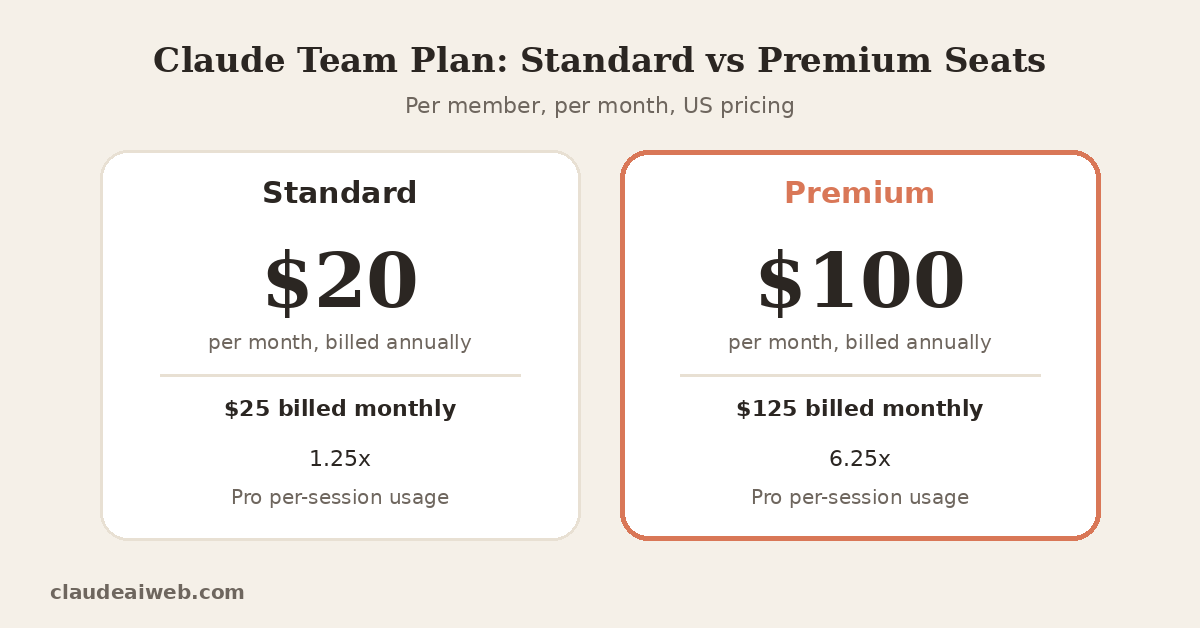
Most small firms will want to begin their quest with this one. This is available online and requires a minimum of just two users. Moreover, the maximum number of users allowed in this category is 150. Standard seat prices are $20 per user per month when billed annually, while premium seats cost $100 annually or $125 monthly. Those prices apply to US customers and exclude tax.
| Seat type | Annual billing | Monthly billing | Usage allowance |
| Standard | $20 per member | $25 per member | 1.25x Pro per session |
| Premium | $100 per member | $125 per member | 6.25x Pro per session |
Premium gives roughly five times the usage of Standard. Therefore, it suits power users only.
What every Team seat includes
Team is more than just a chat system. It offers administrative tools, central billing, single sign-on, role management, and budget management. Team is integrated with Claude and Google Drive, Gmail, Google Calendar, GitHub, Microsoft 365, and Slack. Additionally, all users get Claude Code and Claude Cowork.
Usage caps are applied individually per user. If one user hits the cap, others will not be affected by this. I find this approach to be appealing. It will avoid conflict among employees regarding who used up the limit.
My first opinion: most teams overbuy Premium seats. Give Premium only to people who hit limits every week. Everyone else does fine on Standard. Start cheap, then upgrade the people who complain.
Claude Enterprise Plan
Enterprise is for businesses that are subject to an auditor. It has all the features in Team, with additional features like audit logs, SCIM, custom data retention, and a Compliance API. It also includes inference and US-only encryption keys for customers. Eligible organizations can also become a HIPAA-ready setup as well.
This is not mentioned in older guides; the pricing changed in 2026. There is a new seat fee that now only provides access. Anthropic charges separately for every use of their API service, with typical API pricing. The pricing page shows that the seats cost $20 per month for an annual billing cycle, with a minimum of 20 seats required. Please note that you should always confirm the cost from the Anthropic website.
There are 2 ways to purchase Enterprise. There must be at least 20 seats for self-serve. Sales-assisted needs at least 50. The sales route also includes invoicing and multi-currency capabilities.
My second opinion: Usability-based billing is a good idea, but finance teams don’t like surprises. You can run Claude Code for a long time every day by a few developers, which can make the bill quickly high. So, establish spending limits right away. Administrators have the ability to set limits on both organization and user spending.
Team vs Enterprise
| Feature | Team | Enterprise |
| Seat range | 2 to 150 | 20+ (self-serve) or 50+ (sales-assisted) |
| Single sign-on | Yes | Yes |
| Role-based permissions | Yes | Yes |
| Spend controls | Yes | Yes |
| Audit logs and SCIM | No | Yes |
| Compliance API | No | Yes |
| Customer-managed keys | No | Yes |
| HIPAA-ready option | No | Yes |
| Usage model | Per-seat limits | Billed at API rates |
This is the rule of thumb for me. If there are less than 150 users and there are no mandatory audits, then use Team. Use Enterprise if compliance officers attend your meetings.
Context Beats Clever Prompts (My Real-Use Observation)
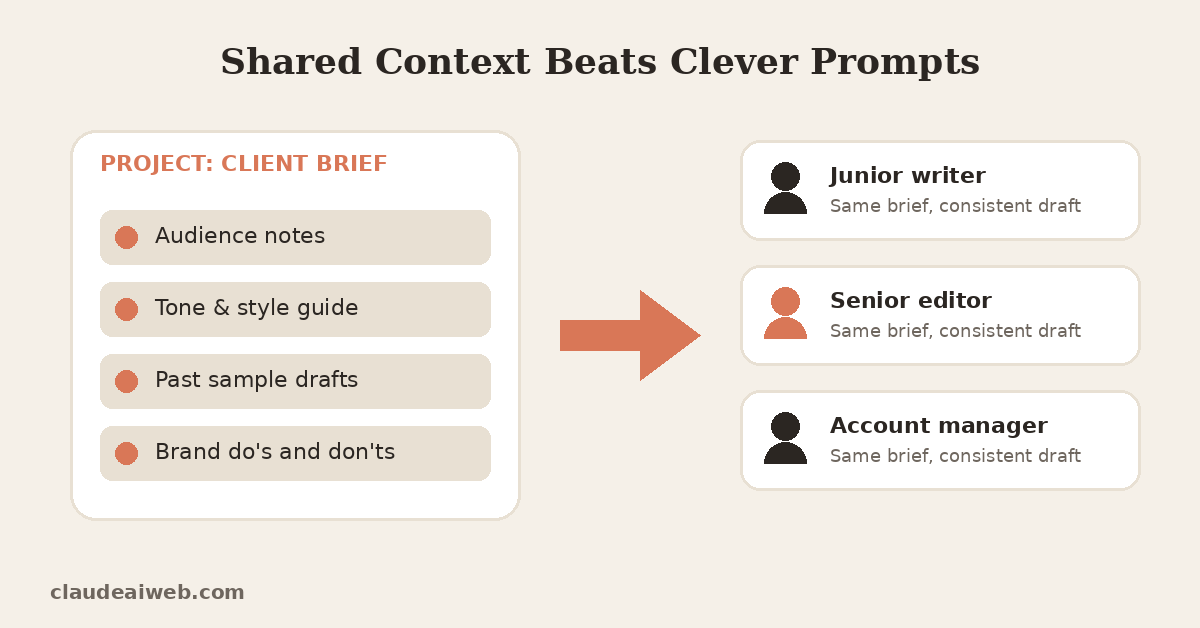
My “Claude for work” suggestions are all about tips for prompts. I think otherwise. The reusable context was the most valuable idea I had in mind when working with clients.
Consider a normal block of text regardless of whether it’s an essay, article, or a report. I would copy and paste the viewers, the tone rules, and examples. Claude would keep the structure for a lengthy draft. Without that context, I have to go through 3 or 4 edits. I use it frequently, and I can’t do without it.
This practice may easily be expanded by team planning. Projects provide the opportunity for all involved to start out with the same outline. One will have a regular stream of drafts from an inexperienced writer, while the other will have a regular stream of drafts from a seasoned editor.
However, I do not fail to verify. Claude is excellent at summarising extensive documentation. Nonetheless, I go through each number and date personally. It is a practice that has saved me from a couple of embarrassing situations.
Best Place of Claude in a Business
Claude shines at language-heavy work. It handles long documents, careful reasoning, and consistent tone. Here is where I see the strongest fit.
| Team | Task | Why Claude works |
| Marketing | Long-form drafts and briefs | Holds structure over long outputs |
| Customer support | Reply drafts and policy checks | Matches tone and follows rules |
| Operations | SOPs and internal FAQs | Turns messy notes into clean steps |
| Engineering | Code review and refactoring | Explains changes patiently |
| Leadership | Report and meeting summaries | Condenses without losing key points |
Connectors add real value here. For instance, Claude can search your Drive files and Slack threads. Consequently, staff stop copying documents into chat manually.
Data Privacy
There are numerous factors that are privacy related that influence buying decisions. Luckily, privacy does not come as a given. Anthropic’s models are not automatically trained on data from Team and Enterprise users. There may be exceptions in certain circumstances. Training can be by opt-in or feedback.
With that said, however, a plan is not a policy. List down your employees’ responses that they might send to Claude. Never use the names, passwords and other private financial data of customers without legal approval. In addition, educate on how to clear sensitive chats.
Where Claude for Business Disappoints
I would like to say that Claude does not suit everyone. There are three issues here.
- Heavy users are frustrated by the restrictions on use. The standard seats are too small for the developers and researchers. Premium seats may be available sooner than you think. Therefore, you pay higher amount of money initially.
- Your plans often get changed. December 2026 saw a change in pricing for Enterprise seats by Anthropic. So, no out-of-date guide should be used. It is important to always refer to the pricing page of Anthropic before purchasing.
- Claude is unable to draw any picture. He knows how to interpret images very well, but doesn’t make them. With a design team, you’ll need to utilize Midjourney or Firefly or anything like that.
My third opinion: don’t roll Claude out to everyone at once. Big launches create confusion and wasted seats. A small pilot teaches you more than a company-wide memo.
A Simple Rollout Plan That Works
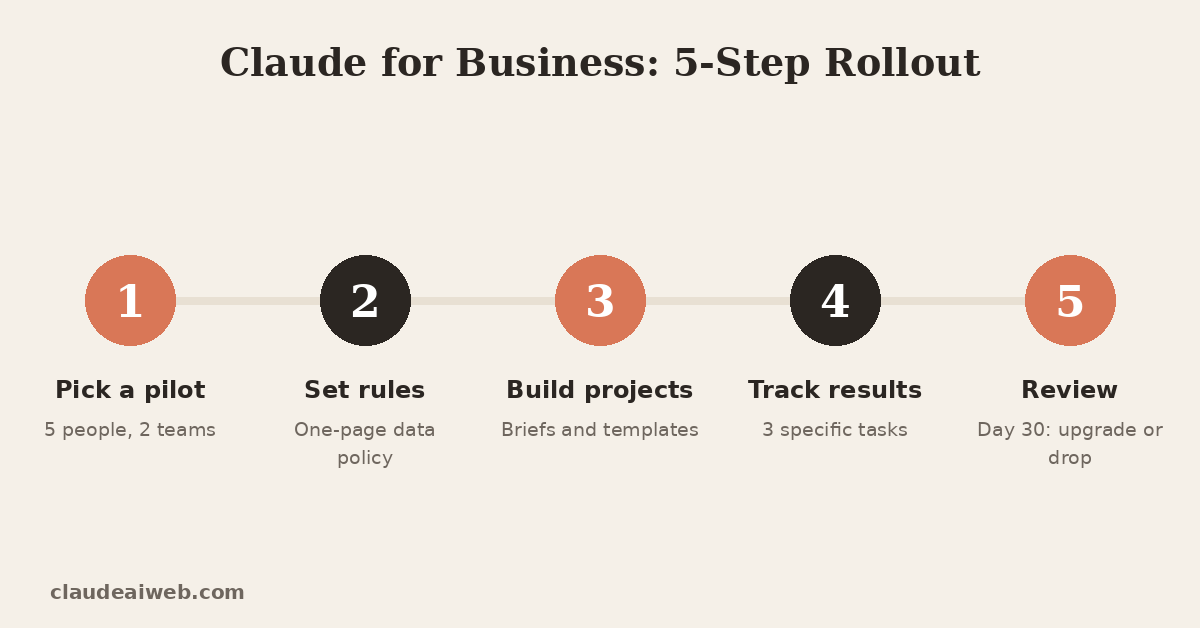
- Select a pilot team. Pick five participants from two departments, with some skeptics and some believers.
- Establish the guidelines upfront. Make your one-page data policy public before anyone logs on.
- Create collaborative projects. Import your project briefs, style guide, and templates to Projects.
- Measure actual results. Quantify the time saved on three concrete tasks, avoiding “productivity” statements.
- Evaluate after 30 days. Promote heavy users, cancel unoccupied licenses, and scale up.
Also bookmark our Claude status page. When Claude slows down, your team can check it first. That saves support tickets.
Final Verdict
However, the true strength of Claude for Business emerges once you start using it as a collaborator that helps you think along with you. It does not fix any messy workflow. However, it will surely speed up your daily writing, summarization, and reasoning tasks.
If you have a small team, the first thing to do is start with the Team package. If you are a regulated company, you need to speak to the Enterprise sales team. If you are developing a product, you need to test out the API.
For more plan breakdowns and updates, browse our AI Guide and AI News sections.
Frequently Asked Questions
Is there a single “Claude for Business” plan?
No. Anthropic offers Team and Enterprise plans for organizations. It also offers an API for developers. Pick the one that matches your size and needs.
How much does the Claude Team plan cost?
Standard seats cost $20 per member monthly with annual billing, or $25 billed monthly. Premium seats cost $100 on annual billing, or $125 monthly. Prices vary by region. claude
How many people can join a Team plan?
Team plans need at least two members and support up to 150 seats. Larger organizations move to Enterprise. claude
Does Claude train on my company’s data?
By default, Anthropic doesn’t train on Team and Enterprise data. Opting in or submitting feedback changes that for those conversations. Review your settings and brief your staff. claude
What does Enterprise add over Team?
Enterprise adds audit logs, SCIM, custom retention, and a Compliance API. It also adds customer-managed encryption keys and a HIPAA-ready option. Usage bills separately at API rates.
Is Claude Code included in business plans?
Yes. Team seats include Claude Code and Cowork access. Enterprise seats include both too, though usage bills separately.